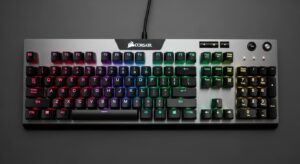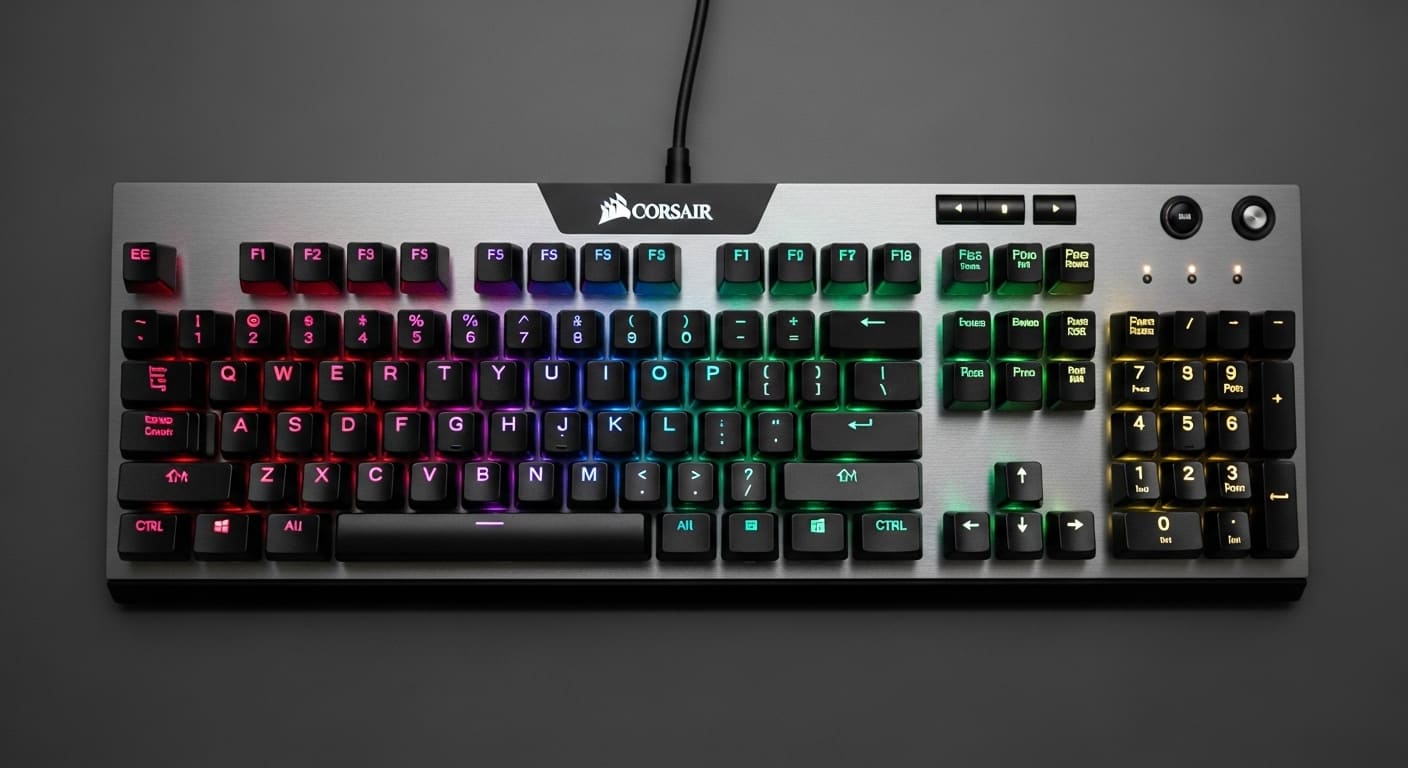
When the Corsair K70 RGB TKL launched, it quickly became a favorite among competitive gamers. However, hype fades. Marketing cools down. The real question is simple: after long-term use, is it still a top TKL gaming keyboard?
I’ve spent serious time with it—gaming, typing, troubleshooting, customizing. So let’s break it all down step by step.
Introduction to the Corsair K70 RGB TKL
The K70 RGB TKL isn’t just another flashy RGB board. Instead, it’s a focused, performance-driven mechanical keyboard built for esports.
First Impressions and Build Quality
Right out of the box, it feels premium. The brushed aluminum frame screams durability. Unlike cheaper boards, there’s no flex when you twist it. Moreover, the doubleshot PBT keycaps resist shine even after months of sweaty gaming sessions.
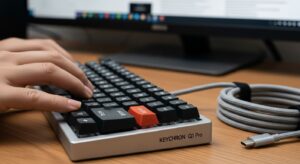
In addition, the detachable USB-C cable adds portability. That’s important because TKL boards are often carried to LAN events.
Why TKL Keyboard Sizes Matter
Let’s talk about keyboard sizes.
Full-size boards include a number pad. TKL (Tenkeyless) removes it. Consequently, you get more desk space and better mouse movement. For FPS players, that extra room matters.
If you’ve ever felt cramped mid-match, you’ll understand why compact layouts are winning.
Understanding Keyboard Sizes and Layouts
Not all keyboards are created equal.
Full-Size vs TKL vs Small Computer Keyboard
There are multiple keyboard sizes available today:
-
Full-size (104/105 keys)
-
TKL (87/88 keys)
-
60%
-
65%
-
Small computer keyboard designs for portability
The K70 RGB TKL hits the sweet spot. It keeps arrow keys and function rows while cutting unnecessary bulk.
American Keyboard Layout vs Spanish Keyboard
Layout matters more than people think.
The American keyboard layout is the standard QWERTY used widely in gaming. However, a Spanish keyboard includes the “Ñ” key and different symbol placements.
If you switch between layouts, muscle memory gets tested. Fortunately, the K70 supports different regional versions, so you’re not locked into one format.
Types of Keyboards in Today’s Market
Before judging the K70, we need context.
Mechanical Keyboard vs Membrane
There are several types of keyboards:
-
Membrane
-
Mechanical
-
Optical
-
Magnetic keyboard designs
Mechanical keyboards dominate gaming. Why? Because mechanical keyboard switches provide consistent actuation and tactile feedback.
Wireless Keyboard Touch and Magnetic Keyboard Trends
Recently, wireless keyboard touch designs and magnetic keyboard innovations have gained popularity. Brands are pushing cable-free minimalism.
However, wired boards like the K70 still offer lower latency. Therefore, competitive gamers often stick with cables.
Gaming vs Office Keyboards
Office boards focus on comfort and silence. Gaming keyboards prioritize speed and precision.
The K70 is clearly built for performance first.
Mechanical Keyboard Switches Explained
Switches are the heart of any mech board.
Keyboard Switch Types Overview
There are three major keyboard switch types:
-
Linear
-
Tactile
-
Clicky keyboard switches
Each feels different.
Mech Keyboard Switches in the K70 RGB TKL
The K70 commonly ships with Cherry MX mechanical keyboard switches. Cherry is legendary in the mech keyboard switches world.
Clicky Keyboard vs Linear vs Tactile
-
Clicky keyboard: Loud and satisfying
-
Linear: Smooth and fast
-
Tactile: Noticeable bump without loud click
For gaming, linear switches often win because they allow faster double taps and rapid movement.
Performance After Long-Term Use
After months of heavy gaming, how does it hold up?
Durability and Keycap Wear
Surprisingly, the PBT caps barely shine. Additionally, the stabilizers remain tight. No annoying rattle developed over time.
That’s impressive.
Stability During Competitive Gaming
With an 8,000Hz polling rate, input feels instant. Consequently, reaction times improve.
Average Keyboard Speed and Response Time
The average keyboard speed for most users sits around 40–60 WPM. However, the K70’s fast actuation helps push higher speeds.
More importantly, latency stays consistently low.
RGB Lighting and Customization
RGB isn’t just about aesthetics.
Software Integration and Keyboard Driver
Corsair’s iCUE software manages lighting and macros. Occasionally, users report keyboard driver issues. Nevertheless, firmware updates typically fix them.
iCUE Experience and Profiles
Profiles can switch automatically per game. Therefore, you can have custom lighting for each title.
Gaming Experience Over Time
Now the big question.
FPS and Esports Performance
In competitive shooters, milliseconds matter. The K70 delivers consistent input without ghosting.
Anti-Ghosting and Polling Rate
Full N-key rollover ensures every press registers. Even during frantic gameplay, it doesn’t miss commands.
Everyday Productivity and Typing
Gaming is only half the story.
Comfort for Long Writing Sessions
Despite being performance-focused, typing feels comfortable. Linear switches reduce finger fatigue.
American Keyboard Layout vs Spanish Keyboard Adaptation
Switching layouts requires minor adjustment. However, once configured, it’s seamless.
Common Issues and Troubleshooting
No keyboard is perfect.
Keyboard Not Typing – Possible Causes
If your keyboard not typing issue appears, check:
-
USB cable
-
Keyboard driver
-
Firmware
Keyboard Not Working – Driver and Firmware Fixes
Sometimes a simple reinstall fixes keyboard not working problems. In rare cases, Windows updates interfere.
Connectivity and Wired vs Wireless Debate
Is a Wireless Keyboard Touch Better?
Wireless is cleaner. However, latency and battery life matter.
Why Corsair Stayed Wired
For esports reliability. No dropouts. No charging stress.
Comparing With Competitors
SteelSeries Apex Pro TKL
The SteelSeries Apex Pro TKL offers adjustable actuation. It’s more customizable but pricier.
Razer Huntsman Tournament Edition
The Razer Huntsman Tournament Edition uses optical switches. It’s fast but feels lighter.
The K70 stands strong among them.
Value for Money in 2026
Even years later, it holds competitive pricing.
Price-to-Performance Ratio
Considering build quality and performance, it remains a strong buy.
Who Should Buy It Today?
-
FPS players
-
Esports enthusiasts
-
Users wanting premium mechanical feel
Final Verdict – Is It Still a Top TKL Gaming Keyboard?
Yes.
While trends like magnetic keyboard technology and wireless keyboard touch innovation evolve, the Corsair K70 RGB TKL remains a reliable, durable, and performance-driven option.
It’s not flashy for the sake of it. Instead, it focuses on speed, stability, and quality.
And honestly? That’s what matters most.
Conclusion
The Corsair K70 RGB TKL proves that great hardware ages well. Although the keyboard market constantly evolves—with new keyboard switch types, compact designs, and wireless advancements—this board still competes fiercely.
If you want a mechanical keyboard built for serious gaming without unnecessary gimmicks, it remains one of the safest bets in 2026.
FAQs
1. What types of keyboards are best for gaming?
Mechanical keyboards are generally best due to faster actuation and durability.
2. Is a clicky keyboard good for FPS games?
It can be, but most competitive players prefer linear switches for speed.
3. Why is my keyboard not working suddenly?
Check cable connections, reinstall the keyboard driver, and update firmware.
4. What is the average keyboard speed for gamers?
Most users type 40–60 WPM, though gamers may react faster in-game.
5. Does the K70 support different layouts like Spanish keyboard?
Yes, regional layout options are available depending on the retailer.