Introduction to the GALLEON 100 SD
GALLEON 100 SD Review. Let’s be honest. Choosing a keyboard today feels like walking into a candy store with too many flavors. However, every once in a while, something different lands on your desk. That’s exactly what the GALLEON 100 SD does.
Unlike traditional boards, this device isn’t just another mech keyboard. Instead, it blends premium mechanical keyboard switches with a built-in Stream Deck-style control panel. In other words, it’s a productivity powerhouse hiding inside a gaming beast.
So, is it hype or genuinely innovative? Let’s break it down step by step.
First Impressions and Design Philosophy
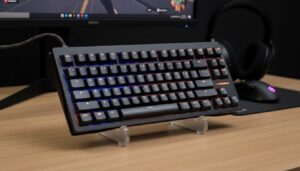
At first glance, the GALLEON 100 SD screams modern minimalism. The aluminum top plate feels sturdy, yet refined. Meanwhile, RGB lighting flows smoothly beneath the keys, giving it that subtle “pro gamer” aesthetic without going overboard.
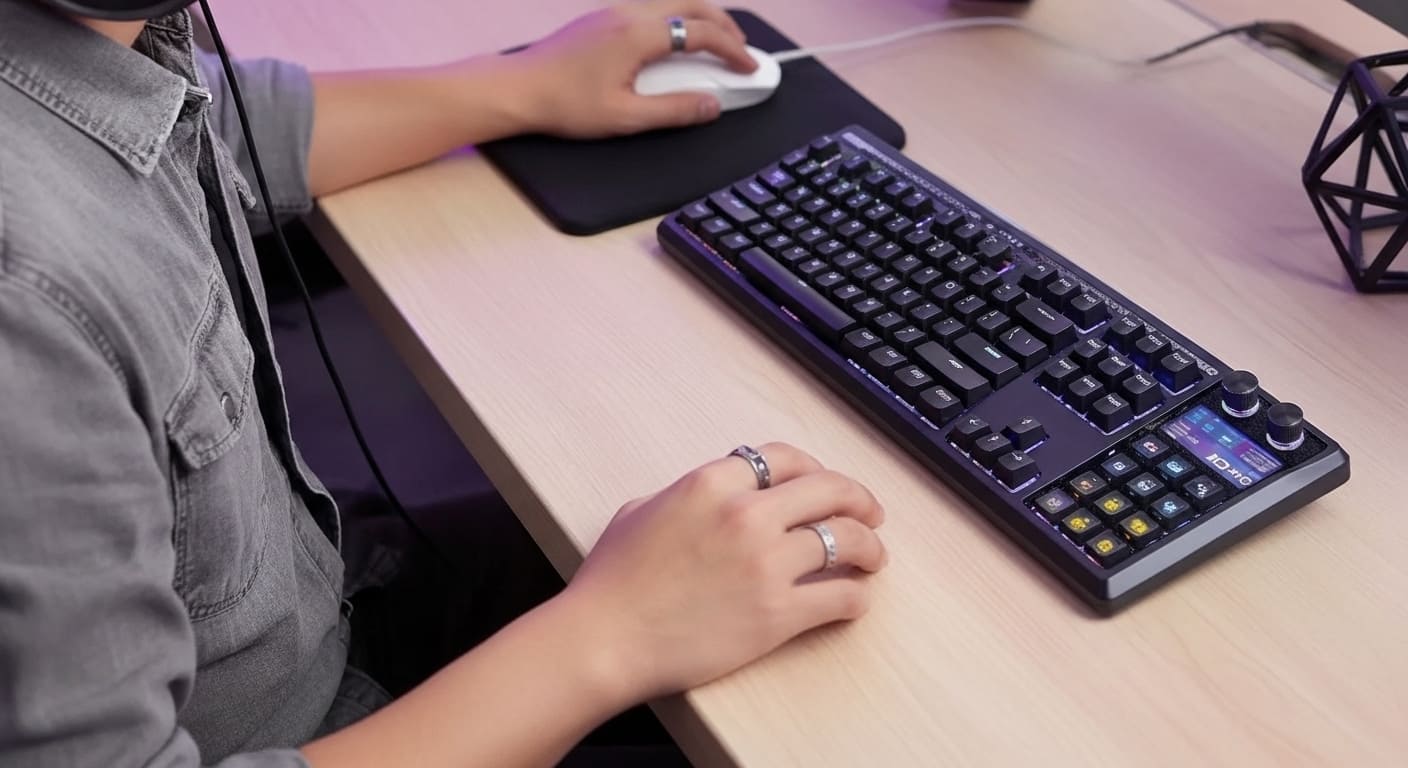
Interestingly, the integrated control screen sits seamlessly in the top corner. Therefore, it doesn’t look bolted on. Instead, it feels engineered as part of the keyboard from day one.
Build quality? Solid. Flex? Minimal. Keycaps? Thick and textured. Consequently, typing feels premium from the very first tap.
Who Is This Keyboard For?
This keyboard isn’t for everyone. However, if you’re a streamer, content creator, programmer, or multitasker, it makes immediate sense.
For example:
-
Streamers can trigger scenes instantly.
-
Editors can assign macros for shortcuts.
-
Gamers can manage overlays mid-match.
-
Office users can automate repetitive tasks.
Therefore, it bridges entertainment and productivity in a single device.
Types of Keyboards in Today’s Market
Before we dive deeper, let’s understand where this keyboard stands among different keyboard and types available today.
Membrane vs Mechanical Keyboards
Membrane boards are quiet and affordable. However, they lack tactile precision. On the other hand, mechanical keyboards offer durability, speed, and satisfying feedback.
Because of that, most professionals prefer mechanical keyboard switches for better control.
Wireless Keyboard Touch and Hybrid Models
Wireless keyboard touch models combine Bluetooth with touch-sensitive media controls. Meanwhile, hybrid boards offer both wired and wireless options. The GALLEON 100 SD supports both, giving users flexibility.
Magnetic Keyboard Technology Explained
Magnetic keyboard designs use Hall-effect sensors instead of traditional contacts. As a result, they offer adjustable actuation points. Although the GALLEON 100 SD uses mech keyboard switches, magnetic keyboard innovations are shaping future competition.
Mechanical Keyboard Switches Explained
Let’s talk about the heart of the beast.
Keyboard Switch Types Overview
There are three main keyboard switch types:
-
Linear
-
Tactile
-
Clicky
Each delivers a different feel.
Clicky Keyboard vs Tactile vs Linear
A clicky keyboard makes an audible click at actuation. It’s satisfying but loud. Tactile switches provide a bump without the noise. Meanwhile, linear switches are smooth and quiet.
If you love feedback, clicky wins. However, if you share a workspace, tactile might be safer.
Popular Mech Keyboard Switches Compared
Common mech keyboard switches include:
-
Cherry MX Blue (clicky)
-
Cherry MX Brown (tactile)
-
Cherry MX Red (linear)
The GALLEON 100 SD offers multiple options, allowing users to choose their typing personality.
Keyboard Sizes and Layouts
Size matters more than you think.
Full-Size vs Tenkeyless vs Small Computer Keyboard
Full-size keyboards include a numpad. Tenkeyless (TKL) removes it. A small computer keyboard (60% or 65%) sacrifices extra keys for compactness.
The GALLEON 100 SD uses a 100% layout but optimizes space cleverly.
American Keyboard Layout vs Spanish Keyboard
The American keyboard layout is standard QWERTY. Meanwhile, a Spanish keyboard includes Ñ and different symbol placements.
Fortunately, this keyboard supports multiple layouts, so switching languages isn’t a headache.
Built-In Stream Deck Integration
Now here’s the star feature.
What Makes the Stream Deck Unique?
The integrated mini display works like a Stream Deck. You can assign:
-
OBS scenes
-
Spotify controls
-
Photoshop macros
-
Discord mute toggles
Instead of buying separate hardware, you get everything in one place.
Practical Use Cases
Imagine streaming. Suddenly, you need to switch scenes. Instead of alt-tabbing, you tap the deck. Instantly, your layout changes.
Similarly, during video editing, one tap applies color grading presets.
Convenience? Absolutely.
Performance and Typing Experience
Average Keyboard Speed on GALLEON 100 SD
Average keyboard speed ranges between 40–70 WPM for most users. With responsive switches, users often see a 5–10 WPM increase.
Because actuation is precise, missed keystrokes decrease dramatically.
Gaming Performance
Latency is minimal. Key rollover? Excellent. Therefore, competitive gamers won’t feel disadvantaged.
Connectivity and Software
Wireless and Wired Modes
You get:
-
USB-C wired mode
-
Bluetooth
-
2.4GHz wireless
Switching between devices is seamless.
Keyboard Driver and Customization Software
The keyboard driver software allows macro programming, RGB customization, and firmware updates.
Without updated drivers, keyboard not typing issues can occur. Therefore, always install the latest version.
Troubleshooting and Reliability
Keyboard Not Typing – Possible Causes
If your keyboard not typing:
-
Check drivers
-
Reconnect Bluetooth
-
Restart PC
Keyboard Not Working – Quick Fix Guide
If keyboard not working entirely:
-
Test another USB port
-
Update firmware
-
Reset factory settings
Most issues are software-based rather than hardware failures.
Pros and Cons
What We Loved
-
Integrated control deck
-
Premium build
-
Customizable mechanical keyboard switches
-
Multi-device support
What Could Be Better
-
Slightly expensive
-
Software learning curve
Step-by-Step Buying Guide
Who Should Buy It?
If you:
-
Stream
-
Edit videos
-
Game competitively
-
Love mechanical boards
Then yes, it’s for you.
Alternatives
Some competitors offer separate stream decks. However, combining them increases desk clutter.
Final Verdict
There is more to the GALLEON 100 SD than just another keyboard. Instead, it’s a control center disguised as one.
It merges functionality and fun. It balances productivity and gaming. And most importantly, it eliminates the need for multiple peripherals.
Is it perfect? No device is. However, it’s innovative, practical, and powerful.
Conclusion
GALLEON 100 SD Review. In conclusion, the GALLEON 100 SD redefines what a mechanical keyboard can be. Rather than simply focusing on typing, it transforms your desk into a command hub.
From mechanical keyboard switches to integrated controls, from wireless keyboard touch functionality to layout flexibility, it checks nearly every box.
If you’re ready to upgrade your workflow, this keyboard might just be your next favorite tool.
FAQs
1. Is the GALLEON 100 SD suitable for beginners?
Yes. Although advanced features exist, basic typing works instantly.
2. Does it support different keyboard switch types?
Yes. Multiple mechanical switch options are available.
3. Can I change from American keyboard layout to Spanish keyboard?
Yes. Layout customization is supported.
4. What if my keyboard not working after update?
Reinstall the keyboard driver or reset firmware.
5. Is it better than buying a separate Stream Deck?
For most users, yes. It saves space and money.