Introduction to the Lemokey P1 HE
Lemokey P1 HE Keyboard. The mechanical keyboard world moves fast. One moment everyone is obsessed with silent linear switches; the next, magnetic keyboard dominate Reddit threads. And right now, the spotlight is on the Lemokey P1 HE.
So, what’s the big deal?
The Lemokey P1 HE promises something bold: a keyboard that dominates in competitive gaming while staying comfortable for long productivity sessions. In other words, it claims to be the ultimate gaming and productivity setup. But does it really deliver?
Let’s break it down step by step.
Understanding the Different Types of Keyboards
Before diving into this specific model, we need context. After all, not all keyboards are built the same.
Membrane Keyboards
These are the most common and affordable. They’re quiet, lightweight, and widely available. However, they lack precision and durability compared to mechanical options.
Mechanical Keyboards
Mechanical keyboard switches offer individual switches under each key. This design gives better feedback, faster actuation, and longer lifespan. Moreover, they allow customization—one of the biggest selling points.
Magnetic Keyboards
Now we’re entering advanced territory.
Magnetic keyboard, like the Lemokey P1 HE, use Hall Effect sensors. Instead of physical metal contacts, they rely on magnetic fields to detect keystrokes. Consequently, this allows adjustable actuation and rapid trigger functionality.
Wireless Keyboard Touch Models
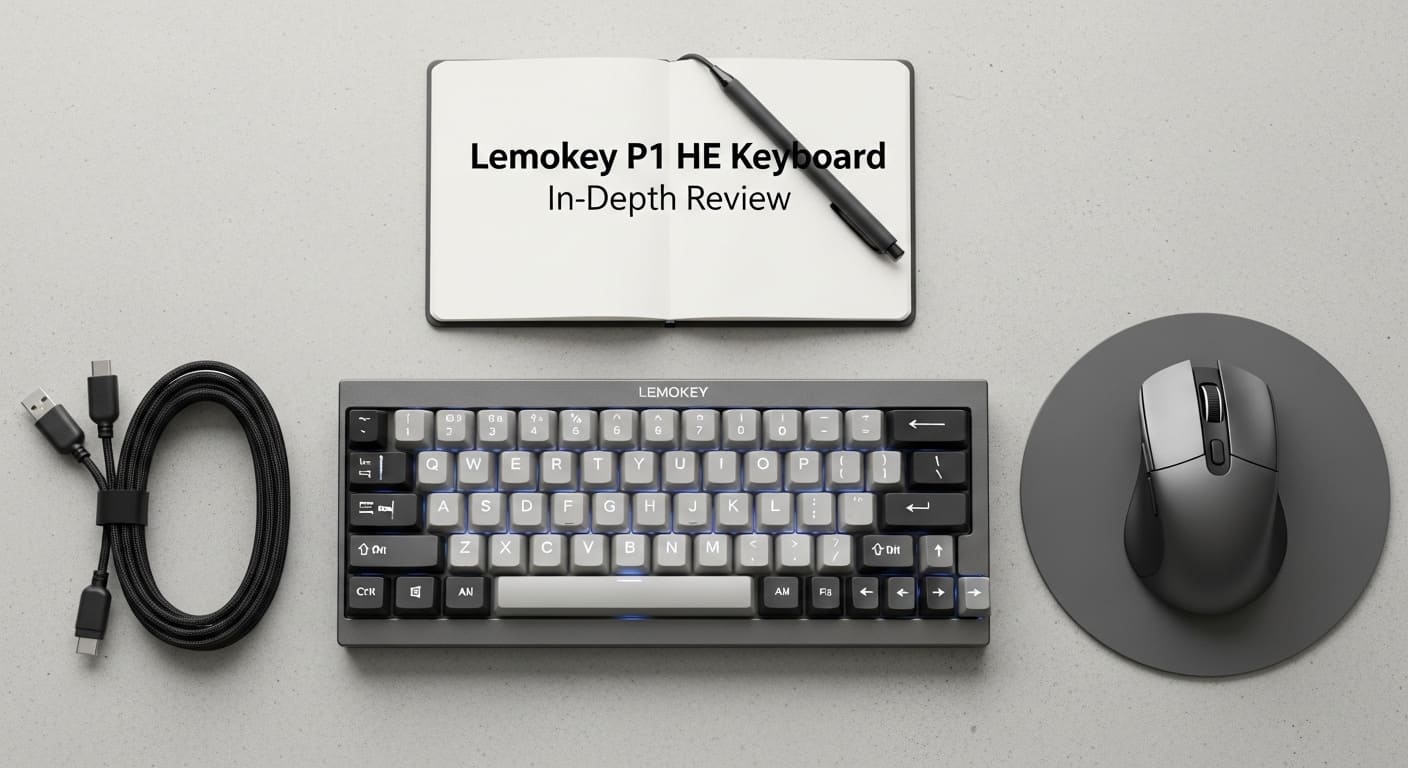
Some modern boards offer wireless keyboard touch features, blending portability with functionality. The Lemokey P1 HE supports both wired and wireless setups, making it flexible.
In short, when discussing keyboard and types, the Lemokey P1 HE sits at the premium end of innovation.
Mechanical Keyboard Switches Explained
Let’s talk about keyboard switch types.
Linear Switches
Smooth and silent. Ideal for gaming.
Tactile Switches
Noticeable bump when actuated. Great for typing.
Clicky Keyboard Switches
Loud, satisfying clicks. Perfect for those who love auditory feedback.
However, mech keyboard switches in magnetic keyboards operate differently. Instead of relying purely on mechanical contact, they use sensors. Therefore, actuation becomes adjustable—sometimes down to 0.1mm.
That’s like controlling how deep your car’s accelerator responds.
What Makes the Lemokey P1 HE Unique?
This is where things get interesting.
The Lemokey P1 HE uses Hall Effect magnetic switches. That means:
-
Adjustable actuation points
-
Rapid trigger response
-
Increased durability
-
Zero debounce delay
Furthermore, you can customize sensitivity per key. For gamers, this is revolutionary. Imagine setting WASD to ultra-sensitive while keeping other keys standard.
That’s control.
Keyboard Sizes and Layout Options
Keyboard sizes matter more than people think.
Full-Size
Includes number pad.
TKL (Tenkeyless)
Removes number pad for compactness.
75% Layout
Compact yet functional.
The Lemokey P1 HE follows a compact layout trend—ideal for those seeking a small computer keyboard without sacrificing arrow keys.
American Keyboard Layout vs Spanish Keyboard
The American keyboard layout is standard QWERTY. Meanwhile, a Spanish keyboard includes Ñ and altered punctuation placement.
The Lemokey P1 HE supports layout customization via software, meaning you can configure it to your regional needs.
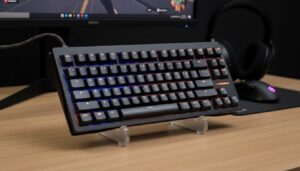
Design and Build Quality
Premium aluminum frame? Check.
High-quality PBT keycaps? Check.
Solid weight for stability? Absolutely.
Unlike cheap boards that flex under pressure, this one feels like a tank. Moreover, the gasket-mounted design improves typing comfort.
Typing Experience and Average Keyboard Speed
Let’s talk numbers.
The average keyboard speed is around 40–60 words per minute for most users. However, with adjustable actuation, some users report faster response times.
The magnetic switches feel smooth. There’s no scratchiness. Additionally, sound is muted yet satisfying.
Typing on it feels like gliding over ice instead of walking on gravel.
Gaming Performance Review
Here’s where it shines.
Rapid trigger eliminates reset delay. As soon as you release a key slightly, it resets instantly.
In competitive FPS games, milliseconds matter. Therefore, adjustable actuation can mean faster strafing and movement.
Compared to standard mechanical boards, this offers measurable performance benefits.
Productivity Performance
But what about office work?
Thankfully, it performs just as well.
Whether you’re coding, writing, or editing spreadsheets, the consistent actuation reduces fatigue. Moreover, you can create typing-focused profiles separate from gaming ones.
Connectivity and Compatibility
The keyboard supports:
-
Wired USB-C
-
Wireless connectivity
-
Multi-device pairing
No complicated keyboard driver installation is required beyond standard configuration software.
Software Customization
Customization is deep.
You can:
-
Remap keys
-
Adjust actuation per key
-
Control RGB lighting
-
Create macros
This level of control transforms the keyboard into a personalized tool.
Troubleshooting Common Issues
Keyboard Not Typing
Check software settings. Ensure actuation isn’t set too deep.
Keyboard Not Working
Verify cable or wireless pairing.
Keyboard Driver Issues
Reinstall firmware and drivers if necessary.
Most problems stem from misconfiguration rather than hardware failure.
Magnetic Keyboard vs Traditional Mechanical
Magnetic keyboards last longer because there’s no metal contact wear.
Additionally, performance stays consistent over time.
However, they are more expensive.
Still, for enthusiasts, the investment makes sense.
Pros and Cons
Pros
-
Adjustable actuation
-
Rapid trigger
-
Premium build
-
Customizable
Cons
-
Higher price
-
Learning curve
-
Software complexity
Who Should Buy the Lemokey P1 HE?
Gamers wanting competitive advantage.
Professionals who type for hours.
Keyboard enthusiasts exploring advanced switch tech.
It’s worth thinking about if you fit into any of these groups.
Final Verdict
So, is the Lemokey P1 HE the ultimate gaming and productivity setup?
For many users—yes.
It blends innovation, build quality, and flexibility in one sleek package. While it’s not the cheapest option, it delivers performance that standard mechanical keyboards simply can’t match.
In a world filled with similar-looking boards, this one actually stands apart.
FAQs
1. Is the Lemokey P1 HE better than traditional mechanical keyboards?
Yes, especially for gaming due to adjustable actuation and rapid trigger features.
2. Does it support different keyboard layouts?
Yes, including American keyboard layout and customizable options like Spanish keyboard configurations.
3. What if my keyboard is not typing properly?
Check actuation settings and ensure drivers are correctly installed.
4. Is it suitable as a small computer keyboard for travel?
Its compact layout makes it portable while maintaining functionality.
5. Do magnetic switches last longer than mech keyboard switches?
Yes, because they avoid metal contact wear.