Introduction to the OnePlus Keyboard 81 Pro
OnePlus Keyboard 81 Pro. When OnePlus decided to step into the mechanical keyboard world, expectations were sky-high. After all, this is a brand known for sleek smartphones and premium design. So naturally, people wondered—could they build a keyboard that truly competes with established mechanical giants?
The OnePlus Keyboard 81 Pro isn’t just another accessory. Instead, it’s a statement. It blends premium materials, customizable mechanical keyboard switches, and serious gaming performance into one compact package. However, does it actually deliver comfort, durability, and gaming excellence? Let’s break it down step by step.
Types of Keyboards Explained
Before diving deep, let’s understand the broader picture. There are many types of keyboards in today’s market.
Membrane vs Mechanical
Membrane keyboards are common and affordable. They use rubber domes under each key. However, mechanical keyboards use individual switches under every key. That difference changes everything—from sound to durability.
The OnePlus 81 Pro is, of course, mechanical. And that already sets it apart from standard office keyboards.
Wireless Keyboard Touch and Magnetic Keyboard Concepts
Modern keyboards now include features like wireless keyboard touch technology—allowing seamless Bluetooth connectivity and smooth device switching. Furthermore, magnetic keyboard innovations, such as adjustable magnetic feet, enhance ergonomics.
Therefore, the 81 Pro blends traditional mechanical performance with modern wireless flexibility.
Understanding Mechanical Keyboard Switches
Mechanical keyboard switches are the heart of any mech keyboard. Think of them like engines in cars—different engines, different performance.
Keyboard Switch Types Overview
There are three major keyboard switch types:
Linear
Tactile
Clicky keyboard switches
Each one offers a different feel.
Clicky Keyboard vs Tactile vs Linear
A clicky keyboard produces audible feedback. It’s satisfying—but loud. Meanwhile, tactile switches give a bump without noise. Linear switches are smooth and silent.
The OnePlus 81 Pro offers premium mech keyboard switches tuned for both comfort and speed. As a result, it satisfies gamers and writers alike.
Build Quality and Durability
Let’s talk toughness.
The OnePlus Keyboard 81 Pro features an aluminum frame. That’s not just for looks—it boosts durability. Compared to plastic builds, aluminum resists bending and wear over time.
Additionally, high-quality PBT keycaps resist shine. In contrast, cheaper ABS keycaps wear down quickly.
Consequently, this keyboard feels built to last years, not months.
Comfort and Ergonomics
Comfort is king. After all, what’s the point of performance if your fingers ache?
The adjustable typing angle and gasket mount structure soften each keystroke. Therefore, long typing sessions feel smoother.
Compared to a small computer keyboard, the 81 Pro offers more stability without taking too much desk space.
Keyboard Sizes and Layout Options
Keyboard sizes matter more than people think.
Common Keyboard Sizes
Full-size
Tenkeyless
75%
Compact
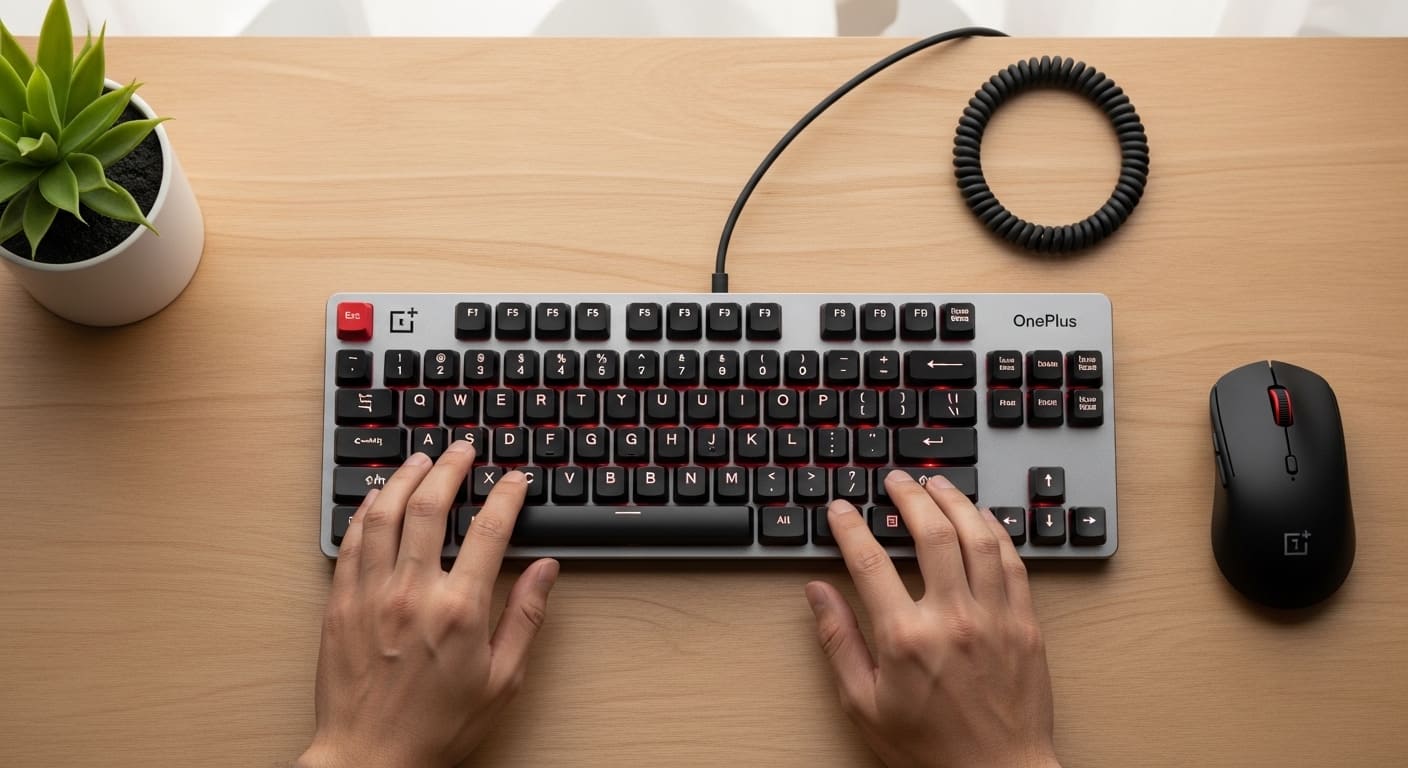
The 81 Pro uses a 75% layout. That means it keeps arrow keys and function row while staying compact.
American Keyboard Layout vs Spanish Keyboard
The american keyboard layout is standard QWERTY used in the US. Meanwhile, a spanish keyboard includes additional characters like ñ.
Layout choice affects productivity. Therefore, always choose based on your language needs.
Wireless Performance and Connectivity
The OnePlus 81 Pro supports Bluetooth and wired modes. Switching between devices feels effortless.
Wireless keyboard touch functionality ensures lag-free input. In gaming, even milliseconds matter. Fortunately, latency remains impressively low.
Magnetic Keyboard Innovation
One highlight is the magnetic keyboard foot system. You can adjust height via magnetically attached feet.
This small detail improves wrist posture. And over time, that reduces strain significantly.
Gaming Performance
Now the real question—can it game?
Short answer: Yes.
With fast response times and stable polling rates, it handles competitive play smoothly.
The average keyboard speed for typing is around 40–60 WPM. However, in gaming, response time matters more than speed. The 81 Pro excels here.
No ghosting. No input delay. Just precision.
Typing Experience and Productivity
For writers and programmers, consistency is critical.
Thanks to refined mechanical keyboard switches, typing feels fluid. Each keystroke registers cleanly.
Moreover, the sound profile is pleasant—not overly loud like a traditional clicky keyboard.
Troubleshooting Common Issues
Even great keyboards can face problems.
Keyboard Not Typing
If your keyboard not typing issue appears:
Check Bluetooth connection
Restart device
Update keyboard driver
Keyboard Not Working
If the keyboard not working entirely:
Try wired mode
Reinstall keyboard driver
Reset firmware
Often, it’s software—not hardware.
Software and Customization
RGB lighting is fully customizable. You can adjust brightness, patterns, and effects.
Additionally, macro programming allows shortcuts for gaming or productivity.
Price and Value for Money
It’s not cheap. However, quality materials, wireless performance, and customization justify the price.
Compared to premium competitors, it holds strong value.
Pros and Cons
Pros
Premium aluminum build
Excellent mechanical keyboard switches
Strong wireless performance
Customizable features
Cons
Premium price
Limited layout options
Final Verdict
If you want durability, comfort, and gaming performance in one sleek package, the OnePlus Keyboard 81 Pro delivers.
However, if you prefer a full-size layout or budget pricing, you may look elsewhere.
Conclusion
The OnePlus Keyboard 81 Pro is more than just another mechanical keyboard. It’s a refined blend of durability, comfort, and precision. From its magnetic keyboard adjustments to its smooth mech keyboard switches, it caters to gamers and professionals alike. Whether you’re worried about keyboard not typing issues, layout differences like spanish keyboard vs american keyboard layout, or choosing between keyboard switch types, this keyboard covers nearly every concern.
In short, it’s premium—and it performs like one.
FAQs
1. Is the OnePlus Keyboard 81 Pro good for gaming?
Yes, its low latency and fast response make it excellent for competitive gaming.
2. What types of keyboards does it compete with?
It competes with high-end mechanical keyboards, especially 75% layouts.
3. Does it support multiple keyboard layouts?
Yes, including American keyboard layout and regional variations.
4. What if my keyboard is not working?
Check connection, update keyboard driver, or reset the device.
5. Is it better than a small computer keyboard?
It offers more durability and features while staying relatively compact.