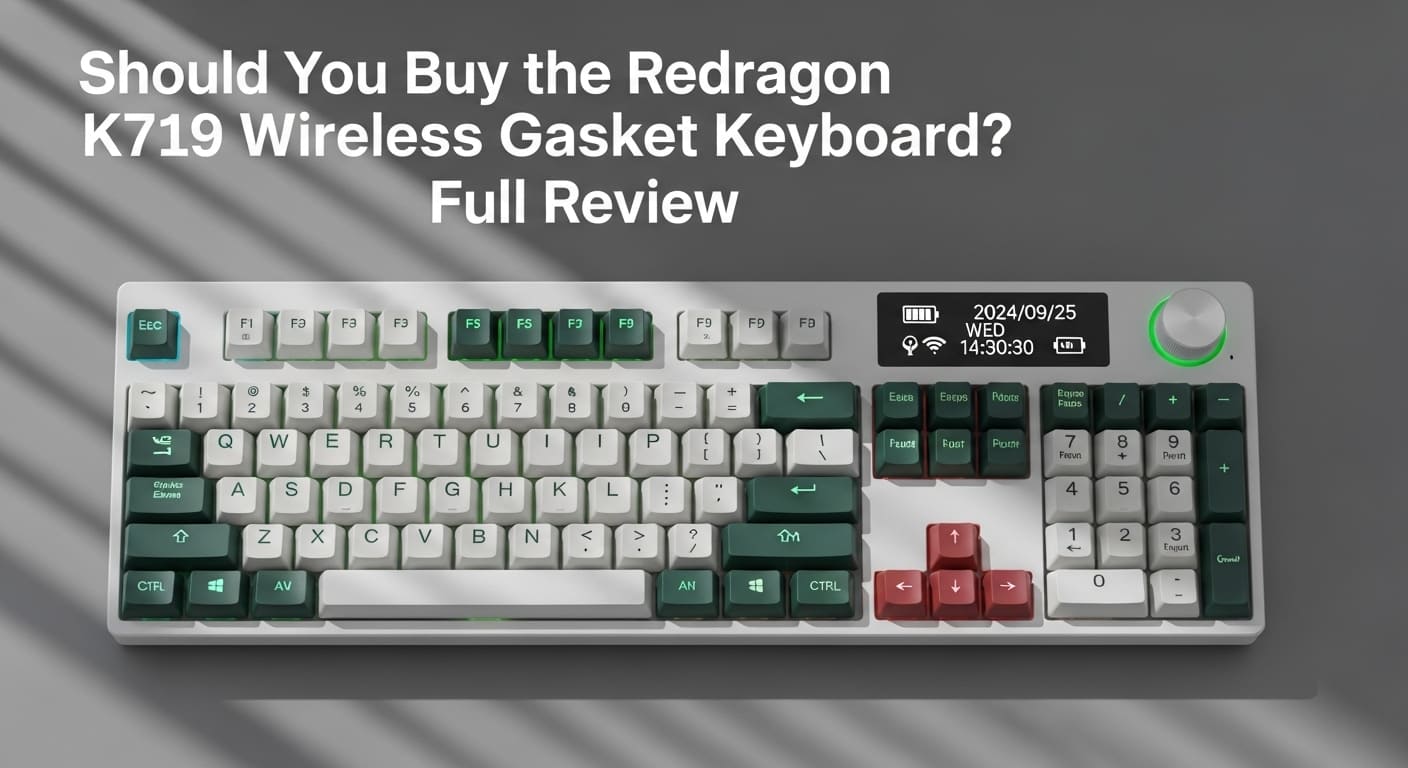
Introduction to the Redragon K719 Wireless Gasket Keyboard
Redragon K719 Wireless. Let’s be honest. Choosing a keyboard today feels like choosing a car. There are countless models, flashy features, and big promises. So, where does the Redragon K719 Wireless Gasket Keyboard stand in this crowded market?
At first glance, it looks sleek. Compact. Modern. However, looks alone don’t tell the whole story. The real question is simple: Should you buy it?
First Impressions and Build Quality
Right out of the box, the K719 feels solid. Not cheap. Not hollow. The gasket-mounted design gives it a premium touch, which is something you usually see in higher-end boards. Moreover, the keycaps feel smooth and durable.
In addition, the weight distribution is balanced. It doesn’t slide around your desk. Consequently, typing feels stable and confident.
Who Is This Keyboard For?
Are you a gamer? A programmer? A writer? Or just someone tired of dealing with a keyboard not typing properly?
This keyboard fits:
Casual and competitive gamers
Office professionals
Students
Mechanical keyboard enthusiasts
However, if you prefer ultra-slim membrane boards, this might feel different at first.
Understanding the Types of Keyboards
Before deciding, you need context. After all, not all keyboards are built the same.
Membrane vs Mechanical
There are two main types of keyboards: membrane and mechanical.
Membrane keyboards are quiet and affordable. However, they lack tactile feedback.
Mechanical keyboards, on the other hand, use individual mechanical keyboard switches under each key. As a result, they offer better durability and responsiveness.
The K719 belongs firmly in the mechanical category.
Wireless Keyboard Touch and Modern Trends
Wireless keyboard touch technology has become extremely popular. Why? Because nobody likes cable clutter.
The K719 supports wireless connectivity, giving you a cleaner setup. Furthermore, wireless performance today is nearly identical to wired, especially for gaming.
Magnetic Keyboard Technology
Magnetic keyboard innovation is emerging fast. These use magnetic sensors instead of physical contact.
Although the K719 is not a magnetic keyboard, it competes closely in responsiveness thanks to its optimized mech keyboard switches.
Keyboard Sizes and Layout Options
Size matters more than you think.
Full-Size, TKL, and Small Computer Keyboard
Keyboard sizes vary:
Full-size (with number pad)
TKL (Tenkeyless)
60% compact
Small computer keyboard designs
The K719 leans toward a compact layout, saving desk space. Therefore, if you want more mouse movement for gaming, this is ideal.
American Keyboard Layout vs Spanish Keyboard
Layout matters too.
The American keyboard layout (QWERTY) is standard in the US. Meanwhile, a Spanish keyboard includes additional characters like Ñ.
The K719 primarily comes in American layout. However, you can remap keys if needed.
Deep Dive into Mechanical Keyboard Switches
Switches are the heart of any keyboard.
Keyboard Switch Types Explained
There are three main keyboard switch types:
Linear
Tactile
Clicky
Each has a unique feel.
Clicky Keyboard Switches
A clicky keyboard produces an audible “click” sound. It’s satisfying. However, it may annoy coworkers.
Linear and Tactile Mech Keyboard Switches
Linear switches are smooth and quiet. Gamers love them.
Tactile switches offer a bump feedback without loud noise.
The K719 offers customizable mechanical keyboard switches, depending on the variant.
Redragon K719 Features Breakdown
Now let’s examine what makes it special.
Wireless Connectivity
It supports multiple connection modes. As a result, you can switch between devices easily.
Bluetooth plus 2.4GHz ensures flexibility.
Gasket Mount Design
Here’s the star feature.
A gasket mount design cushions keystrokes. Consequently, typing feels softer and more premium.
Think of it like shock absorbers in a car. Smooth. Controlled. Comfortable.
RGB Lighting and Customization
RGB lighting isn’t just for looks. It enhances gaming immersion.
Moreover, customization software lets you personalize effects.
Performance and Typing Experience
So, how does it actually perform?
Average Keyboard Speed Test
The average keyboard speed for most people is around 40–60 WPM.
On the K719, typing feels fluid. The reduced vibration improves consistency. Therefore, you might even increase your average keyboard speed over time.
Gaming Performance
Low latency matters in gaming.
Fortunately, the K719 responds instantly. Key registration feels accurate. In competitive scenarios, that split second can matter.
Software and Drivers
Hardware is only half the story.
Installing the Keyboard Driver
To unlock full features, you may need to install the keyboard driver from Redragon’s official website.
It allows macro programming, lighting adjustments, and firmware updates.
Fixing Keyboard Not Typing Issues
Sometimes, users face keyboard not typing problems.
Solutions include:
Reconnecting Bluetooth
Checking battery
Updating keyboard driver
Resetting firmware
Usually, these fixes resolve the issue quickly.
Common Problems and Troubleshooting
Keyboard Not Working – Quick Fix Guide
If your keyboard not working suddenly:
Restart your PC
Check wireless receiver
Charge the battery
Reinstall drivers
In most cases, it’s a minor software glitch.
Pros and Cons
Pros
Premium gasket mount
Wireless flexibility
Compact size
Smooth mech keyboard switches
Cons
No magnetic keyboard tech
Compact layout may not suit everyone
Price and Value for Money
Compared to other wireless mechanical keyboards, the K719 sits in the mid-range price bracket.
However, it offers premium-level typing feel. Therefore, value for money is strong.
Final Verdict – Is It Worth Buying?
If you want:
A wireless setup
Comfortable typing
Compact keyboard sizes
Reliable mechanical keyboard switches
Then yes, it’s worth considering.
However, if you require a full-size board or Spanish keyboard layout pre-installed, you might look elsewhere.
Conclusion
So, should you buy the Redragon K719 Wireless Gasket Keyboard?
If you’re stepping into the world of mechanical keyboards, this is a fantastic start. It blends wireless convenience, solid build quality, and satisfying keyboard switch types into one stylish package.
Ultimately, it strikes a balance between performance and price. And that’s rare.
FAQs
1. Is the Redragon K719 good for gaming?
Yes. Its low latency and responsive mechanical keyboard switches make it suitable for gaming.
2. Does it support different keyboard layouts?
It mainly supports the American keyboard layout, but you can customize key mapping.
3. What should I do if my keyboard is not typing?
Check battery, reconnect wireless mode, and update the keyboard driver.
4. Is it better than a membrane keyboard?
Yes, especially in durability and typing feedback.
5. Can I increase my average keyboard speed with this keyboard?
Possibly. The smoother switch design can improve typing rhythm over time.